


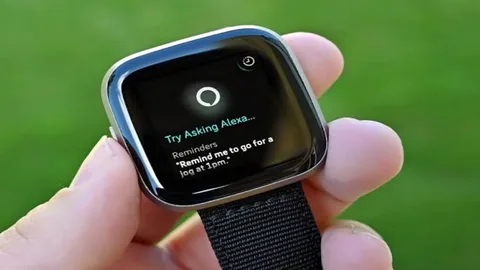
How to turn off Fitbit Versa is a popular fitness-focused smartwatch that offers various features and capabilities. However, there may be times when you want to turn off your Fitbit Versa to conserve battery life or perform troubleshooting tasks. In this article, we will guide you through the process of turning off your Fitbit Versa using different methods.
Understanding Fitbit Versa
Before we delve into the methods of turning off your Fitbit Versa, let’s have a brief understanding of this versatile smartwatch. Fitbit Versa is known for its sleek design, extensive fitness tracking features, heart rate monitoring, sleep tracking, and compatibility with smartphones. It allows you to receive notifications, track your workouts, listen to music, and even make payments through Fitbit Pay.
Reasons to Turn Off Fitbit Versa
There are several reasons why you might want to turn off your Fitbit Versa. One primary reason is to conserve battery life. Although Fitbit Versa has impressive battery performance, turning it off when you’re not using it can help extend its battery life even further. Additionally, turning off your Fitbit Versa can be useful when you encounter software issues or if you plan to store it for an extended period.
Accessing the Settings Menu
To begin the process of turning off your Fitbit Versa, start by accessing the Settings menu on the device. Locate the Settings app on the smartwatch by swiping down from the top of the screen and tapping on the gear icon. Within the Settings menu, scroll down and look for the “About” section. Tap on it to open additional options. From the list of options, select “Shut Down.”
Confirming the Shutdown
Once you have selected the “Shut Down” option, a confirmation message will appear on the screen to ensure that you want to proceed with turning off your Fitbit Versa. Tap on the “Yes” or “Confirm” button to confirm the shutdown process. Your Fitbit Versa will now power down and turn off completely. If you prefer an alternative method to turn off your Fitbit Versa, you can use button combinations. Start by locating the left button on the side of your Fitbit Versa. Press and hold this button.
Selecting the Shut Down Option
While continuing to hold the left button, a menu will appear on the screen. Look for the “Shut Down” option within the menu. Use the right button or touch screen to navigate and highlight the “Shut Down” option. Once you have selected the “Shut Down” option, a confirmation message will appear on the screen. To confirm the shutdown process, press the right button or tap on the “Yes” or “Confirm” button on the touch screen. Your Fitbit Versa will now shut down and turn off.
Accessing the Settings Menu
If you are facing persistent issues with your Fitbit Versa or want to perform a factory reset, you can choose to reset your device. Start by accessing the Settings menu on your Fitbit Versa. Swipe down from the top of the screen and tap on the gear icon to open the Settings app.Within the Settings menu, scroll down and locate the “About” option. Tap on it to access additional settings related to your Fitbit Versa.
Selecting the Factory Reset Option
From the list of options within the “About” section, look for the “Factory Reset” or “Reset” option. Tap on it to initiate the reset process. A confirmation message will appear on the screen, informing you about the consequences of resetting your Fitbit Versa. Read the message carefully, as resetting your device will erase all data and settings. If you still want to proceed with the reset, select the “Yes” or “Confirm” option. Your Fitbit Versa will undergo the reset process and turn off.
Troubleshooting Tips
If you experience any issues while turning off your Fitbit Versa or if the device doesn’t respond to the methods mentioned above, try the following troubleshooting tips:
- Ensure that your Fitbit Versa has sufficient battery power before attempting to turn it off.
- Make sure that your Fitbit Versa is not connected to any charging cables or accessories.
- Restart your Fitbit Versa by pressing and holding the left button for about 10 seconds until the device restarts.
- If the issue persists, contact Fitbit customer support for further assistance.
Conclusion
turning off your Fitbit Versa is a simple process that can help conserve battery life or troubleshoot software-related issues. By following the step-by-step methods outlined in this article, you can easily power down your Fitbit Versa. Remember to confirm the shutdown and take necessary precautions when resetting your device. Enjoy using your Fitbit Versa with confidence, knowing that you can easily turn it off whenever needed.
Etech Ideas is your go-to destination for all things tech-related. We are committed to bringing you the most up-to-date and relevant information on technology solutions. Our mission is to make tech solutions accessible to everyone in this modern world, ensuring that you can navigate the digital landscape with ease, thanks to Etech Ideas.
