


TikTok, the wildly popular short-form video platform, has taken the world by storm with its creative content and engaging user experience. As users dive into the world of TikTok, there might come a time when they wish to revamp their profile and change their username. However, TikTok sets a default restriction, allowing users to change their username only once every 30 days. But fear not! There are ways to bypass this limitation and change your TikTok username before the 30-day period expires. In this article, we’ll explore the process of breaking this barrier and altering your TikTok username at your convenience.
Understanding the TikTok Username Restriction
TikTok has implemented the 30-day username change restriction to maintain consistency and prevent confusion among users. Changing usernames too frequently could lead to misunderstandings, making it difficult for followers to locate and engage with their favorite content creators. While this limitation is in place, there are scenarios where you might have valid reasons for wanting to update your username sooner than the stipulated 30 days.
The Process of Changing Your Username Before 30 Days
How to Change Username on TikTok Before 30 Days? This question might have crossed your mind if you’ve found yourself in a situation where you need to change your TikTok username sooner than the allowed timeframe. Here’s a method to achieve this:
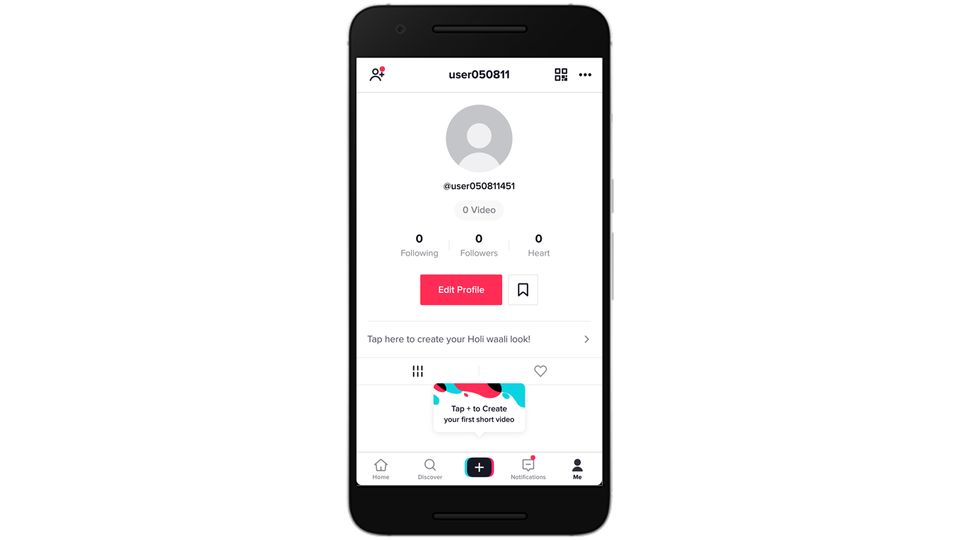
- Contact TikTok Support: The first step is to reach out to TikTok’s customer support. Open the TikTok app and go to your profile. Tap the three dots (…) in the top right corner to access the settings menu. From there, tap on “Report a Problem.” This might seem counterintuitive, but it’s the channel through which you can communicate your request.
- Explain Your Situation: In the “Report a Problem” section, explain your situation concisely and politely. Mention that you need to change your username earlier than 30 days due to specific reasons. It’s important to provide a valid and convincing explanation to increase your chances of success.
- Submit the Request: After explaining your situation, submit the report. TikTok’s support team will review your request and respond to your query. Keep an eye on your notifications and messages within the app.
- Wait for Response: TikTok’s support team will evaluate your request and respond with their decision. If your reasoning is genuine and meets their criteria, they might grant you the permission to change your username before the 30-day period is up.
- Follow Provided Instructions: If TikTok grants your request, they will provide you with specific instructions on how to change your username. Follow their guidance to complete the process successfully.
How to Change Username on TikTok Before 30 Days?
If you find yourself in a situation where you urgently need to modify your TikTok username and the 30-day restriction poses a challenge, don’t fret. There’s a method you can employ to address this issue and alter your username on TikTok before the standard waiting period concludes.
Important Considerations
It’s crucial to note that TikTok’s decision to grant your request for an early username change is not guaranteed. They will evaluate each case individually, so be sure to present your situation honestly and persuasively. Additionally, while this method might work for some users, there’s a chance it might not be effective for everyone. It’s always a good idea to explore other options and strategies if your request is not approved.
Conclusion
TikTok’s 30-day username change limitation is in place to ensure a consistent and organized user experience. However, circumstances might arise where you need to break this barrier and modify your username earlier than the prescribed timeframe. By following the steps outlined above and reaching out to TikTok’s customer support with a genuine explanation, you might have a chance to change your username before the standard waiting period is over. Remember, patience and persistence are key, and while not all requests might be granted, it’s worth exploring this avenue if your situation necessitates an early username change.
