


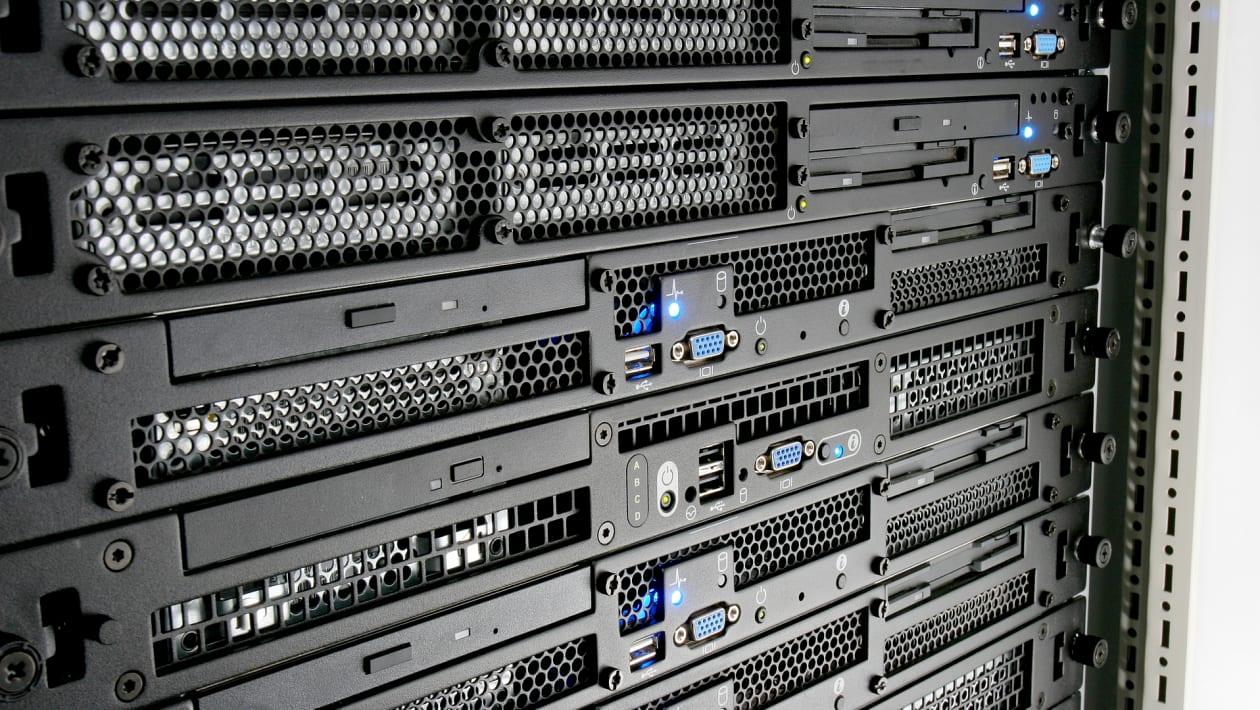
The ever-increasing needs for processing power require careful use of every available space. Herein lies the utility of 1U servers. These tiny powerhouses are ideal for dense deployments because they provide outstanding performance in a 1.75-inch form factor that conserves space.
However, fitting such a large amount of processing power into a tiny chassis also poses special difficulties. Comparing a 1U server to its larger counterparts, such as the common 2U rack servers, demands a more concentrated and strategic approach to maintaining optimal performance.
This article will cover eight crucial maintenance suggestions that will help your 1U server last for many years and maximize its return on investment.
Crucial Maintenance Suggestions for Long-Lasting 1U Server
1. Airflow First: Maintaining the Coolness of Your 1U Server
OneU servers, with their densely packed components, are especially vulnerable to heat, which is the ultimate enemy of electronics. 1U servers have less space for effective ventilation than their more spacious 2U rack server equivalents.
- Adequate Cable Management
If cables are not managed properly inside the server, ventilation can be severely impeded. Ensure that cables are arranged carefully so as not to impede the fans or air intakes. Because of the unhindered air circulation, your server will stay cool and run well. - Check the Temperature of Your Server
The majority of servers have integrated temperature sensors. Use the BIOS, or server administration software, to monitor internal temperatures. Look into the reason and implement corrective action if they routinely surpass the advised levels. This could entail looking into server relocation options, boosting fan speeds, or even enhancing rack airflow. - Hot and Cold Aisle Layout
If your multi-server setup allows for it, you should think about setting up a hot aisle/cold aisle layout. Hot air cannot be recycled back into the servers thanks to this setup, which divides the hot air exhaust from the cool air intake.
2. Accept the Cleanliness of Power
While they can be cute in cartoons, dust bunnies can cause serious damage to your 1U rack server. Because dust accumulation traps heat inside the server and makes it more difficult for it to cool, it functions as a thermal insulator. This continuous heat can shorten the lifespan of your server and damage delicate components.
This is the plan of action for you.
- Frequent Dust Removal
Depending on your surroundings, plan on cleaning frequently, ideally every month or two. After turning off the server, disconnect it from the power supply, then carefully take off the chassis cover. Dust buildup on the fans, vents, and internal parts can be carefully removed with a can of compressed air. - Invest in a HEPA Filter
Take into consideration adding a High-Efficiency Particulate Air (HEPA) filter to your server’s air intake. The minuscule dust particles are prevented from entering your server’s delicate internal components by this filter.
3. Make Friends with Fans, Not Enemies
The unsung heroes of your 1U rack server are the fans, which labor nonstop to remove hot air and maintain the temperature of your system. To guarantee peak performance, confirm that your fans are:
- Running Well: Look for visible indications of wear and tear on the fans during your cleaning regimen, such as loose wires, damaged blades, or an excessive amount of dust accumulation. Keep an ear out for any strange sounds, such as rattling or grinding, as these could be signs of a failing fan.
- Spinning Freely: Verify that nothing is obstructing the fans’ line of airflow. This covers things like wires, accumulated dust, or even missing parts inside the server chassis.
4. Temperature: Intelligence is Power
It is imperative that you closely monitor the temperature of your server. Temperature sensors that can be tracked via the server management software are present on the majority of servers.
A method for controlling temperature is as follows:
- Decide on the recommended operating temperature range for the particular 1U server type you are using to establish your temperature thresholds. The user handbook for the server often contains this information.
- Establish Alerts: Set up your server management software to issue alerts if the temperature rises above the designated limits. To prevent overheating from becoming a serious problem, this enables early management.
5. Accept the Power of Updates to the Firmware
Regular upgrades are necessary for the firmware on your 1U server, just like it are for any other piece of technology. Frequently, these upgrades come with security patches, performance enhancements, and bug fixes.
How to keep up to date:
- Manufacturer Updates: To stay up to speed on the most recent firmware upgrades, visit the manufacturer’s website regularly. Following the directions provided by the manufacturer, download and install these updates.
- Scheduled upgrades: To reduce downtime, think about setting up automatic firmware upgrades for off-peak times.
6. Keep an Eye on System Logs Frequently
The system logs on your 1U server contain an enormous amount of data. Hardware faults, possible problems, and even security breaches can be found in these logs.
Use system logs as follows to your advantage:
- Evaluations of Schedule Logs: Make time each month to go over the system logs on your server. Check for warnings, anomalous activity, or recurrent errors.
- Look Into and Take Care of: In the system logs, pay attention to any warning signs. Take the necessary steps to resolve the underlying problems after researching any error messages.
7. Make a Backup of Everything!
Any firm can suffer a catastrophic blow from data loss. Consistent backups serve as a safeguard, guaranteeing the retrieval of vital information in the event of hardware breakdown, software malfunction, or cyberattack.
- Select a dependable backup plan. This could be a cloud-based backup service, a local backup to an external hard drive, or a mix of the two.
- For backups, don’t rely on RAM. Mission-critical data may require weekly backups, whereas less regularly changed data may require daily or even hourly backups.
The Final Verdict
You can greatly extend the life and functionality of your 1U server by adhering to these important maintenance guidelines. Keep in mind that avoiding costly repairs or data loss later on is far more economical than performing preventive maintenance.
For many years to come, your 1U server will be a dependable workhorse in your data center with a little love and care.
